
How to Add Hindi & Hinglish Captions to Instagram Reels and YouTube Shorts (2026)
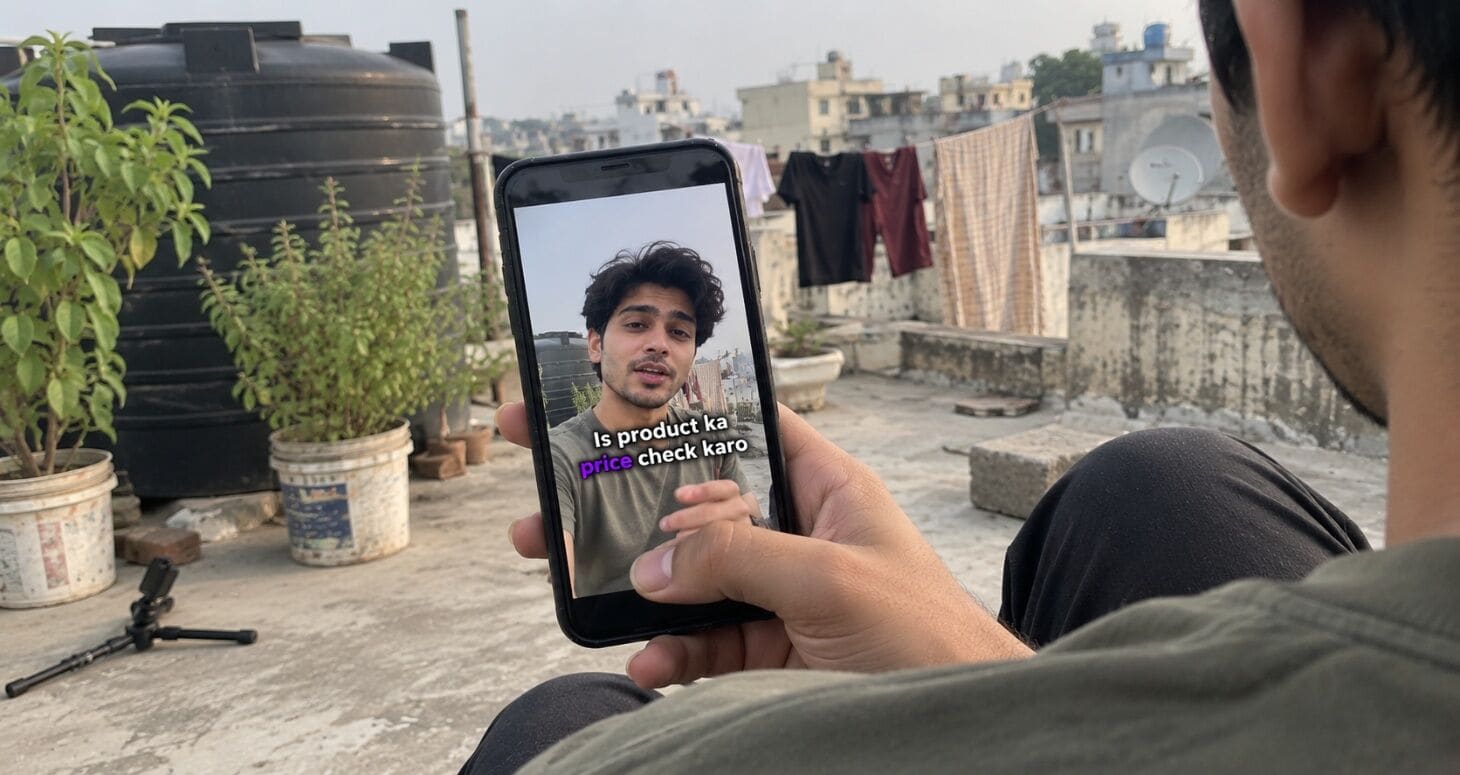
You said “Ye trick sabko pata honi chahiye.”
Your auto-captions wrote “Ye trick sab ko pata honey chahiye.”
If you make content in Hindi or Hinglish, you already know the pain. Most caption tools were built for English, so they stumble the moment you switch languages mid-sentence. The result: wrong words, awkward spellings, and captions you spend 20 minutes fixing.
This guide shows you how to add Hindi captions to Reels and Shorts the right way: accurate, good-looking, and done in minutes.
- 10,000+ Hindi and Hinglish creators caption with Capzo
- 4.8/5 average rating
Why Hindi captions matter in 2026
Hindi is the single biggest language in India’s creator economy, and captions are now something most viewers expect.
- Hindi is the largest creator language. A 2026 ISB–Hashfame report found Hindi creators make up 42% of India’s creator base, more than any other single language.
- The creator space is crowded. India had around 4.12 million creators in 2025, up from 0.96 million in 2020. Standing out takes more than good content.
- Viewers expect captions. A 2026 Extreme Reach survey found 80% of viewers use subtitles at least sometimes, even though 81% reported no hearing difficulty.
- Captions keep people watching. In a Verizon Media and Publicis Media study, 80% of viewers said they are more likely to finish a video with captions.
In short: millions of creators are making Hindi content. Clean, accurate captions are one of the easiest ways to make yours the one people stop for.
Why Hindi and Hinglish captions are different
Captioning English is a solved problem. Captioning the way Indians actually speak is not. Three things make it hard:
- Code-mixing. Most creators switch between Hindi and English inside one sentence: “Is product ka price check karo.” A tool expecting one language guesses at every switch, and one bad guess turns “paisa” into “pizza.”
- Two scripts for one language. Hindi can be written in Devanagari or in Roman letters. Many tools give you only one option, or mix both in the same line.
- Spelling has no standard in Roman Hindi. Is it “nahi,” “nahin” or “nhi”? Without a consistent style, your captions look messy.
That’s why you need a workflow made for Hindi, not an English tool with Hindi bolted on.
Before you start: Roman or Devanagari?
Make this decision before you generate anything. It changes how your captions read and who connects with them.
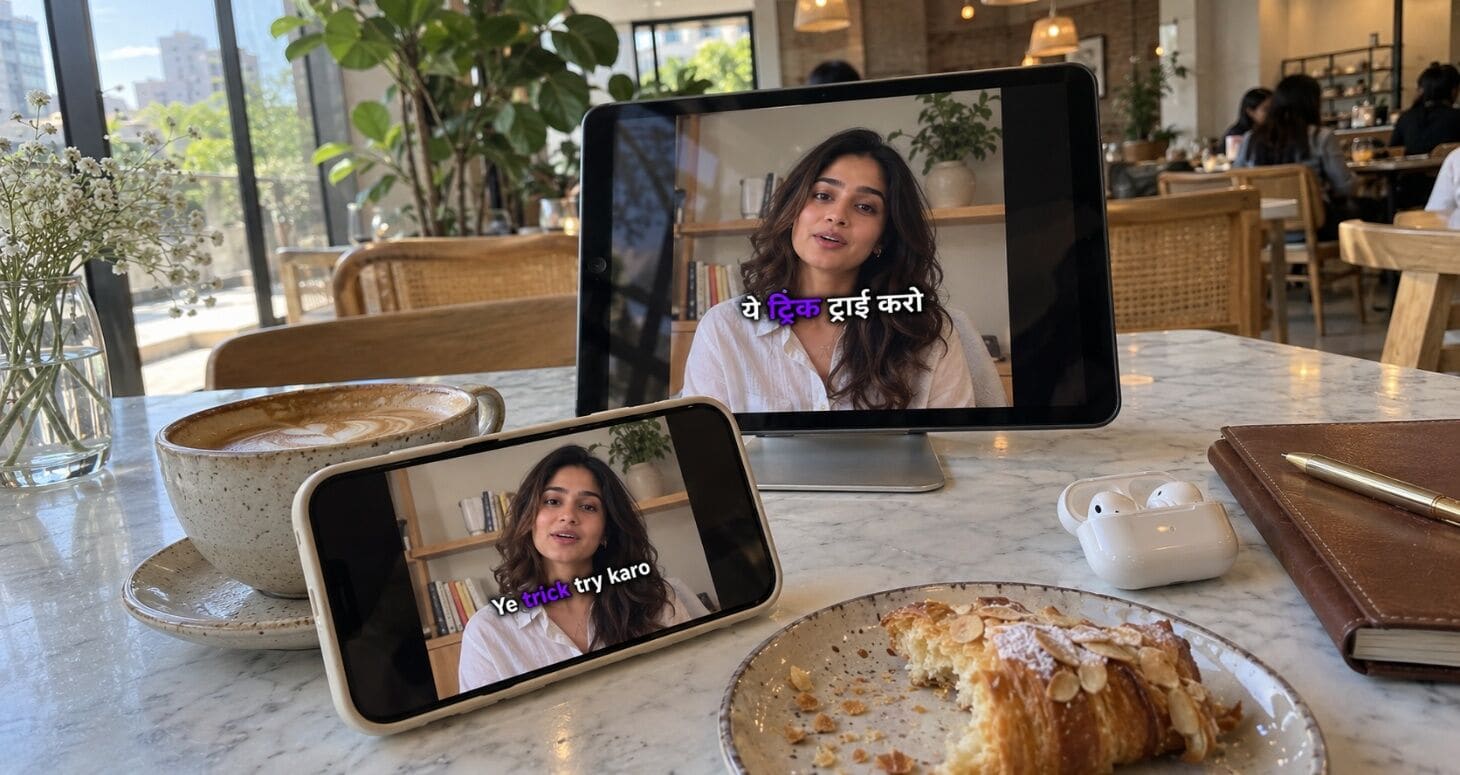
| Roman (Hinglish) | Devanagari | |
|---|---|---|
| Looks like | “Bhai ye hack try karo” | “भाई ये हैक ट्राई करो” |
| Reads fastest for | Young, urban viewers who type Hindi in English letters | Viewers in Hindi-belt towns, older audiences |
| Best content types | Lifestyle, comedy, tech, finance, fitness | News, devotional, education, government schemes |
| Handles English words | Naturally (“try karo”) | Awkwardly (“ट्राई करो”) |
Simple rule: if you’d type it on WhatsApp in English letters, use Roman. If your audience reads Hindi newspapers, use Devanagari.
Pro tip: Can’t decide? Post two similar Reels a week apart, one in each script, and compare average watch time in Instagram Insights. Let your audience vote.
How to add Hindi captions to Instagram Reels
The fastest way to get accurate Hindi and Hinglish captions is with Capzo. Here’s the full process:
Step 1: Upload your Reel
Open Capzo and upload your video in 9:16 (vertical) format. MP4 or MOV both work.
Step 2: Choose Hindi or Hinglish
Select Hindi as the spoken language. If you mix in a lot of English, Capzo handles the code-mixed speech in one pass, so you don’t have to pick between the two.
Step 3: Pick Roman or Devanagari
Choose the script you decided on above.
Step 4: Generate and proofread
Captions are generated and timed to your voice automatically. Spend 60 seconds checking:
- Your name, handle and brand names
- Numbers and prices (₹499 vs “499 rupees”)
- Slang and English words
Step 5: Style your captions
Choose a font, colour and highlight style. Keep it bold, readable and consistent with your brand.
Step 6: Export and upload
Export the video as MP4 with captions burned in, then upload it to Instagram as a Reel.
That’s it. Most 30–60 second Reels take just a few minutes from upload to export.
How to add Hindi captions to YouTube Shorts
Shorts follow almost the same process as Reels, with one important difference.
Burned-in vs closed captions on Shorts
| Burned-in (in the video) | Closed captions (CC file) | |
|---|---|---|
| Visible without tapping? | ✅ Always visible | ❌ Viewer must turn on CC |
| Can you style them? | ✅ Fully | ❌ YouTube’s default style |
| Helps YouTube search? | Partly | ✅ YouTube can read the text |
Best approach: do both.
- Follow Steps 1–5 above in Capzo.
- Export the MP4 with burned-in captions and upload it as your Short.
- Also export an SRT file from the same project.
- In YouTube Studio, open the Short → Subtitles → Add language (Hindi) → Upload file → select your SRT.
Viewers see styled captions instantly, and YouTube gets the full text for search.
Hindi captions for long-form YouTube videos
Long-form works differently from Shorts. Viewers are watching on bigger screens, often with sound, and they can choose to turn captions on.
- Use closed captions (SRT), not burned-in. Viewers can toggle them, and YouTube can read every word, which helps your video show up in search.
- Devanagari often works better here. Long-form viewers read longer lines, and Devanagari is easier to read in full sentences for many Hindi viewers.
- Add an English subtitle track too. One extra SRT file lets non-Hindi Indians and NRI viewers follow along. YouTube lets you add a separate subtitle file for each language.
- Keep lines under about 40 characters so each caption fits on two lines without covering the video.
Pro tip: Read our complete guide to video captions for Indian creators to see how subtitles in other languages can bring in viewers from outside India.
Free built-in options (and their limits)
You don’t always need a separate tool. Here’s what Instagram and YouTube offer for free, and where they fall short.
| Option | What it does | Limits for Hindi/Hinglish creators |
|---|---|---|
| Instagram Captions sticker | Auto-transcribes your Reel; Hindi is among the supported languages | Few styling options, and accuracy on mixed Hinglish varies |
| Instagram Edits app | Supports Devanagari fonts for captions, plus bulk caption editing | Fonts help styling, but you still fix transcription errors yourself |
| YouTube automatic captions | Generates captions after upload | Not burned in, so most Shorts viewers never see them; usually needs cleanup |
| Typing manually in CapCut / VN | Full control | 20–40 minutes per Reel |
When free is enough: you post occasionally and speak mostly one language.
When you need a dedicated tool: you post 3+ times a week, speak Hinglish, or want consistent branded captions across Reels, Shorts and YouTube.
Hinglish caption styling that keeps people watching
Accurate captions are half the job. The other half is making them easy to read in a fast scroll.
- 2 to 5 words per caption. “Ye trick / sabko pata honi chahiye” beats one long line.
- Middle third of the screen. The bottom of Reels and Shorts is covered by the caption bar, buttons and username.
- One highlighted word per line. Highlight the word that carries the meaning: “Ye trick sabko pata honi chahiye.”
- Bold, rounded fonts. Thin or fancy fonts become unreadable on small screens.
- High contrast. White text with a dark outline or shadow works on every background.
- First caption in the first frame. Your hook should be readable before anyone hears it.
- Consistent Roman spellings. Pick “nahi” or “nahin” and stick with it in every video.
Pro tip: Create a simple “spelling list” for words you use often (catchphrases, brand names, common slang). Use the same spellings every time. Consistency makes your captions look professional.
How to fix common Hinglish caption errors
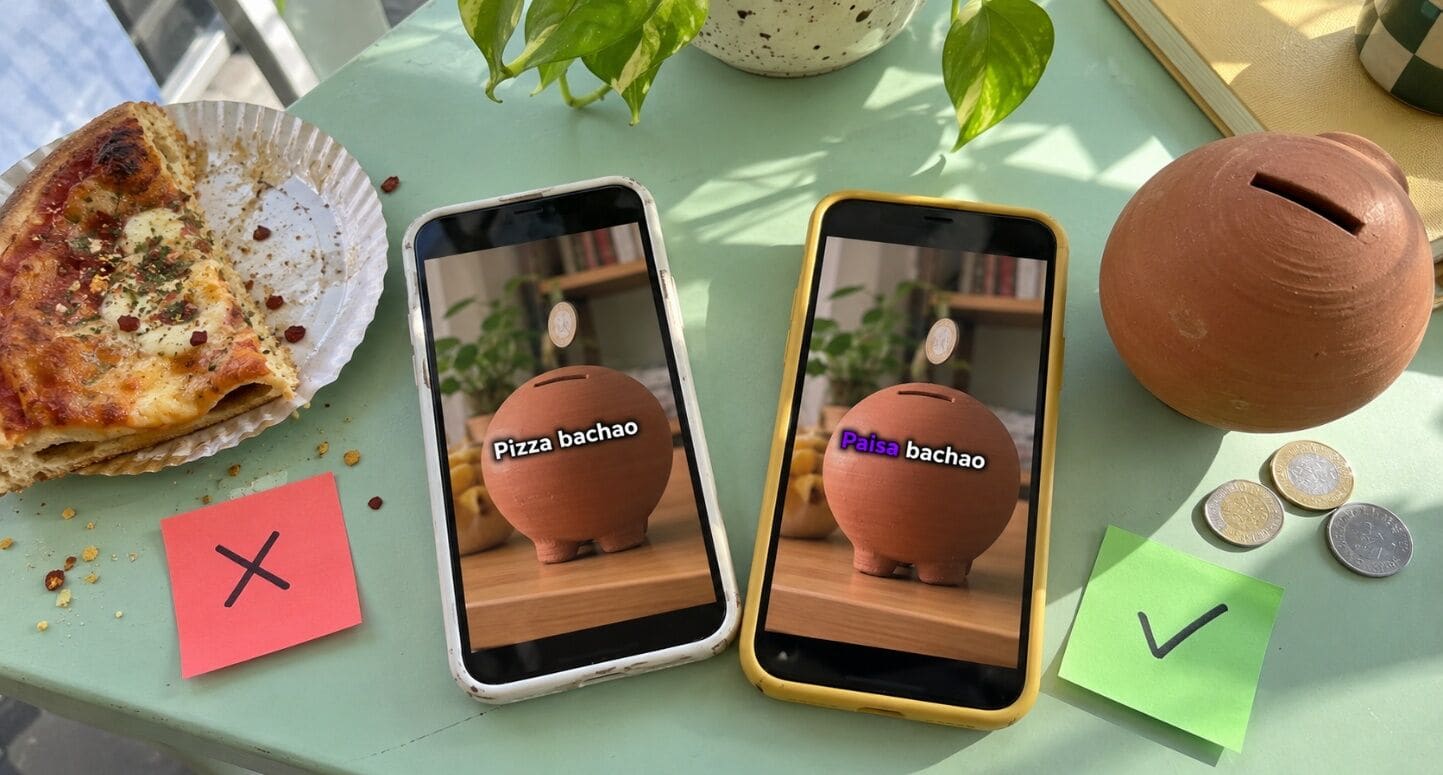
Even the best AI needs a quick check. Here’s what usually goes wrong, and how to fix it:
| What you said | Common auto-caption mistake | Correct caption |
|---|---|---|
| “Ye video thoda special hai” | “Ye video thoda spatial hai” | “Ye video thoda special hai” |
| “Paisa bachao” | “Pizza bachao” | “Paisa bachao” |
| “Subscribe karna mat bhoolna” | “Subscribe kar na mat bhool na” | “Subscribe karna mat bhoolna” |
| “Sirf ₹499 mein” | “Sirf 4 99 mein” | “Sirf ₹499 mein” |
| “Zomato pe order karo” | “Zamato pe order karo” | “Zomato pe order karo” |
Your 60-second proofreading checklist
- ✅ Names, handles and brand names spelled right
- ✅ Prices and numbers in the right format
- ✅ English words inside Hindi sentences recognised correctly
- ✅ Words not split wrongly (“kar na” vs “karna”)
- ✅ Same spelling style throughout the video
A tool built for Hinglish gets most of these right the first time. The checklist catches the rest.
Real example: one creator’s Hinglish captions
The creator: Ananya, a Hinglish fitness creator from Lucknow with 82,000 Instagram followers, posting 5 Reels a week.
The problem: She used Instagram’s Captions sticker, but her Hinglish lines kept coming out wrong (“protein” became “pro teen,” “workout karo” became “work out ka ro”). Fixing them took 15–20 minutes per Reel, so she often skipped captions altogether.
What she changed
- Switched to Capzo with Hindi selected and Roman script
- Created a spelling list for her catchphrases and supplement brand names
- Moved captions to the middle third and highlighted one keyword per line
After 6 weeks
| Metric | Before | After |
|---|---|---|
| Time spent on captions per Reel | 18 min | 2 min |
| Reels posted with captions | 2 of 5 | 5 of 5 |
| Average watch time | 41% | 85% |
| Saves per Reel | 120 | 650 |
“Mujhe sabse zyada ye pasand aaya ki ‘protein’ finally ‘protein’ hi likha aata hai. Captions ab 3 minute ka kaam hai.”
FAQ
How do I add Hindi captions to Instagram Reels?
Upload your Reel to a caption tool like Capzo, choose Hindi, pick Roman or Devanagari, review the captions, and export the video with captions burned in. Then upload it to Instagram.
Does Instagram have auto captions in Hindi?
Yes. Instagram’s Captions sticker supports Hindi, but styling options are limited and accuracy on mixed Hinglish speech can vary.
What is the best app for Hinglish captions?
Look for a tool that handles mixed Hindi-English speech in one pass and lets you choose Roman or Devanagari. Capzo does both and also supports 100+ other languages.
Should Hindi captions be in Roman or Devanagari?
Use Roman for young, urban audiences and lifestyle content. Use Devanagari for news, devotional or educational content and Hindi-belt audiences.
How do I add Hindi subtitles to YouTube Shorts?
Burn styled captions into the video for viewers, and also upload an SRT file in YouTube Studio under Subtitles so YouTube can read the text.
Should I use burned-in captions on long YouTube videos?
Usually not. For long-form, upload an SRT file instead so viewers can turn captions on or off and YouTube can read the text for search.
How long does it take to caption a Reel?
With an auto-caption tool, a 30–60 second Reel usually takes a few minutes, including a quick proofread.
Caption your next Reel in minutes
Your Hinglish content deserves captions that sound like you. Capzo gets the switches right, in Roman or Devanagari, so you spend less time fixing and more time creating.
Join 10,000+ creators captioning in Hindi and Hinglish with Capzo
Try Capzo freeWant the bigger picture? Read The Complete Guide to Video Captions for Indian Creators to learn about regional languages, translation and reaching global audiences.