The Complete Guide to Video Captions for Indian Creators (2026)
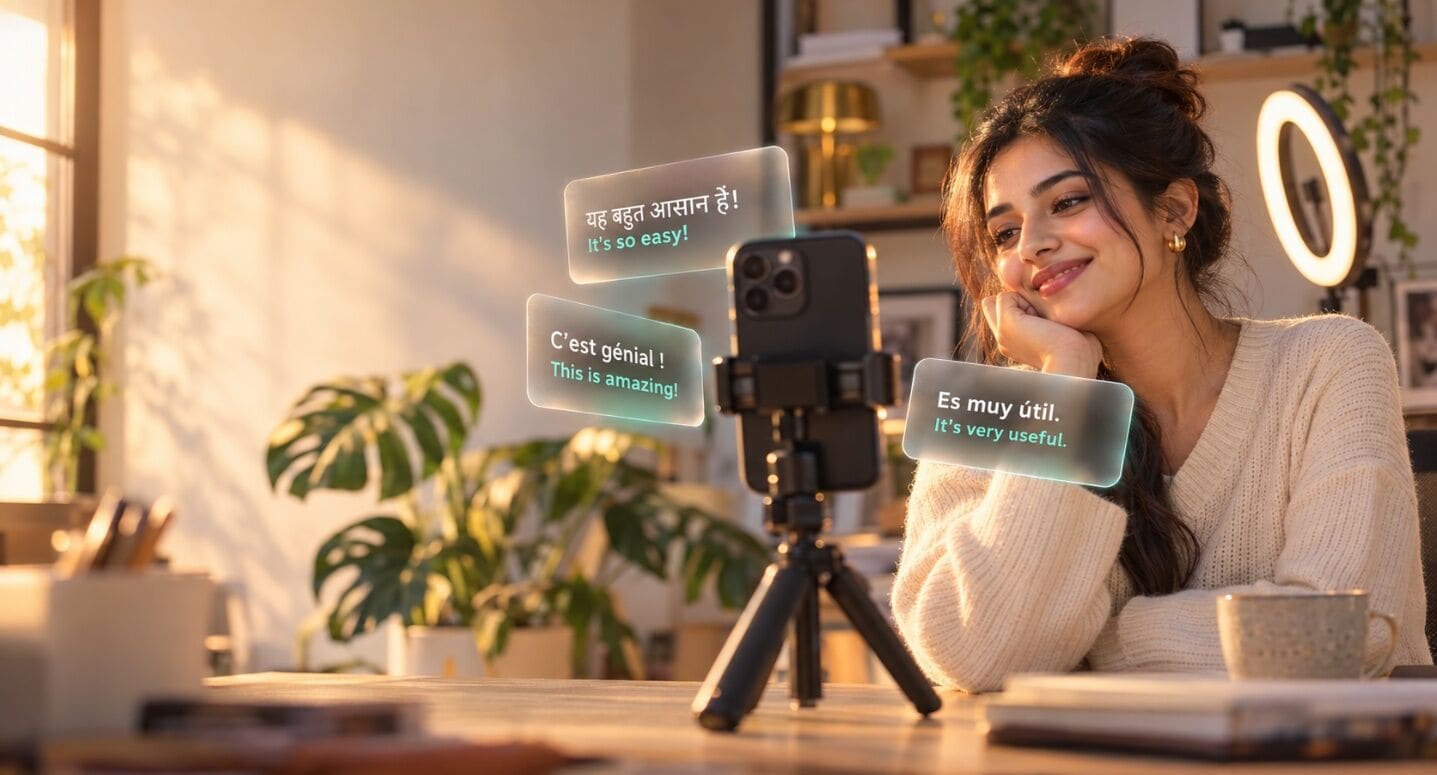
You spent three hours on a 30-second Reel. Perfect hook, tight cuts, trending audio.
Then someone scrolls past it on the metro, phone on silent, and never hears a word.
That is the problem captions solve. This guide covers everything about video captions for Indian creators: why they work, how to add them in Hindi, Hinglish and regional languages, and how to take one video to viewers in 100+ languages.
- Trusted by 10,000+ Creators
- 1 million+ Minutes Captioned
- 100+ languages
Why captions matter more than ever
Captions have gone mainstream. They’re no longer just an accessibility feature; most viewers now expect them.
The latest research (2025–2026)
- 80% of viewers use subtitles. A 2026 Extreme Reach survey of 3,000 viewers across five countries found 80% use subtitles at least sometimes, even though 81% reported no hearing difficulty.
- Young viewers lead the shift. In the same study, 59% of 18–24-year-olds in the UK said they use subtitles always or often.
- Even Netflix sees it. In April 2025, Netflix reported that nearly half of all US viewing hours happen with subtitles or captions on.
What it means for creators
- Viewers finish captioned videos. In a Verizon Media and Publicis Media study, 80% of viewers said they are more likely to watch an entire video with captions.
- Captions can turn sound on. More than a third of viewers in that study said captions encourage them to switch the sound on.
The simple logic: no captions → muted viewer scrolls → lower watch time → the algorithm shows your video to fewer people. Captions break that chain.
Captions basics in 60 seconds
Two things to know before you start.
Captions vs subtitles
| Captions | Subtitles | |
|---|---|---|
| What it is | Speech written in the same language | Speech translated into another language |
| Example | Hindi audio → Hindi text | Hindi audio → English text |
| Who it helps | Viewers who speak your language | Viewers who don’t |
Burned-in vs file-based
| Burned-in (open) | File-based (closed, SRT/VTT) | |
|---|---|---|
| How it works | Text is part of the video | Separate file uploaded with the video |
| Viewer can turn off? | No | Yes |
| Best for | Instagram Reels, YouTube Shorts | YouTube long-form |
| SEO benefit | Low | High, search engines can read it |
Rule of thumb: short-form gets burned-in captions; YouTube long-form gets an SRT file.
Captioning for India: Hinglish, scripts and regional languages
This is where most global caption tools fail Indian creators.
Hinglish is the default
Most creators don’t speak pure Hindi or pure English. They say things like “Aaj ka video thoda special hai, let’s go.” A tool built for English will guess wrong at every switch, turning “special” into “spatial” or “paisa” into “pizza.” Your tool needs to understand code-mixed speech in one go. Capzo is built for exactly this. See Hindi & Hinglish captions →
Pick your script: Roman or Devanagari
| Script | Looks like | Use it for |
|---|---|---|
| Roman | “Bhai ye hack try karo” | Lifestyle, comedy, tech, finance; young urban viewers |
| Devanagari | “भाई ये हैक ट्राई करो” | News, devotional, education; viewers in smaller towns |
Pick one per video. Never mix both in the same line.
Pro tip: Not sure which script your audience prefers? Post two similar Reels a week apart, one in each script, and compare average watch time in Insights.
Regional languages are where the growth is
India’s creator economy is no longer Hindi-led. A 2026 ISB–Hashfame report found regional-language creators make up 58% of India’s creator base, versus 42% for Hindi creators. If you create in Tamil, Telugu, Bengali, Marathi, Kannada, Malayalam, Gujarati or Punjabi, captions in your language help you stand out in a space most tools still ignore. See all supported languages →
How to caption a video, step by step
The process is the same for every language. Here’s how it works with Capzo:
Step 1: Upload your video
Drop in your MP4 or MOV. Vertical (9:16) for Reels and Shorts, horizontal (16:9) for YouTube.
Step 2: Choose the spoken language
Hindi, Hinglish, any regional language, or any of 100+ global languages.
Step 3: Pick your script
Roman or Devanagari for Hindi and Hinglish.
Step 4: Generate and review
Captions are created and timed automatically. Spend 60 seconds fixing names, brands and slang. AI is great at speech, but it can’t know your sponsor’s spelling.
Step 5: Style it
Choose fonts, colours and highlight styles that match your brand.
Step 6: Export for your platform
Platform Export as Then Instagram Reels MP4 (captions burned in) Upload as a Reel YouTube Shorts MP4 (captions burned in) Upload as a Short YouTube long-form SRT or VTT file YouTube Studio → Subtitles → Upload file
That’s it. A 60-second video takes a few minutes, start to finish.
How long should each caption stay on screen?
Viewers need time to read, especially on fast-moving Reels:
- 2 to 5 words per caption for short-form, one short line at a time.
- Match the speaker’s pace. If you talk fast, use shorter captions rather than longer ones on screen for less time.
- Break lines at natural pauses, not in the middle of a phrase. “Ye trick / bahut kaam ki hai” reads better than “Ye trick bahut / kaam ki hai.”
Example: what captions can do for one creator
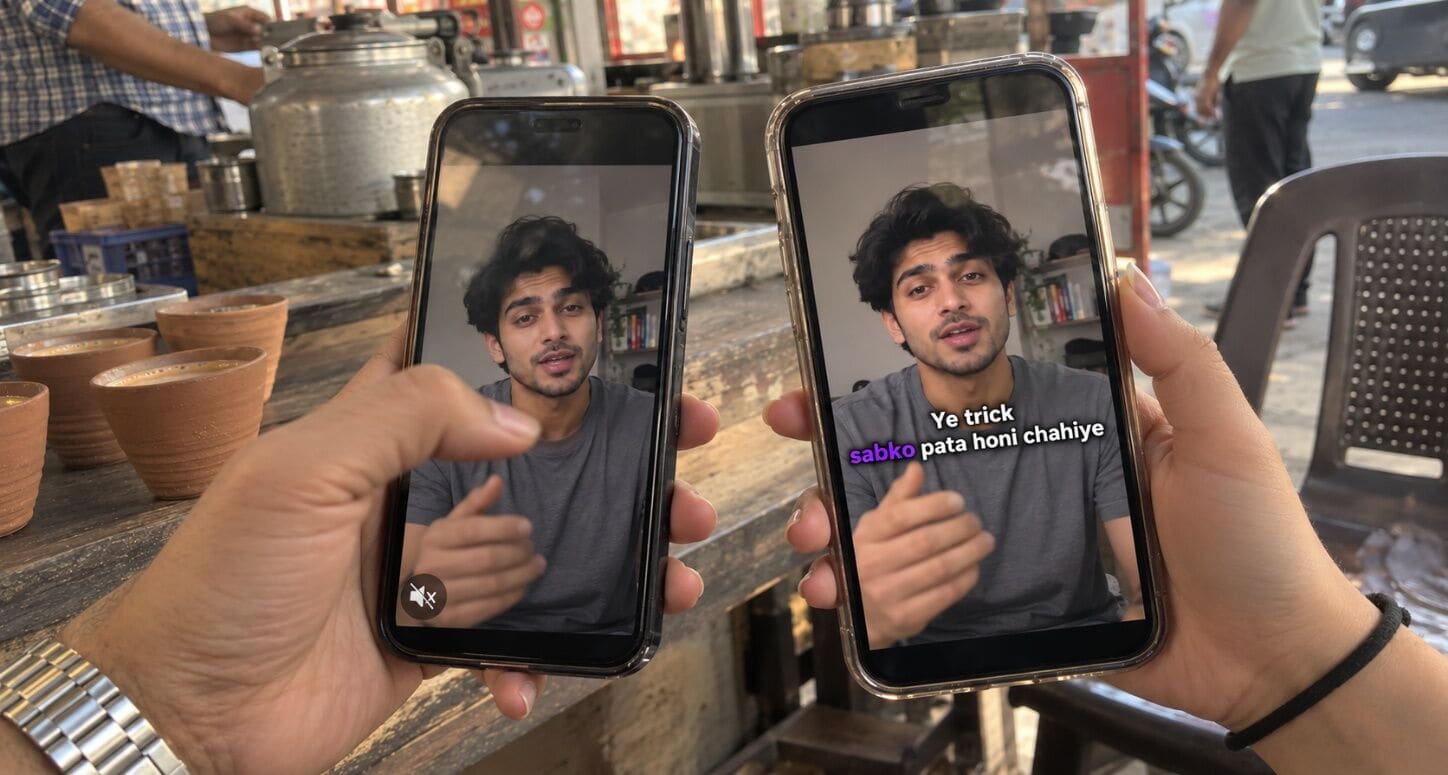
The creator: Rohit, a Hinglish personal finance creator from Jaipur with 45,000 Instagram followers.
The problem: Rohit posted 4 Reels a week with no captions. His average watch time was stuck at 38%, and most of his comments came from the same small group of viewers.
What he changed
- Added Roman Hinglish captions to every Reel with Capzo
- Put the first caption on screen in the very first frame
- Added English subtitles to his YouTube long-form videos for NRI viewers
The result after 60 days
| Metric | Before | After |
|---|---|---|
| Average watch time (Reels) | 38% | 80% |
| Average Reel views | 8,200 | 25,000 |
| Time spent captioning per Reel | 25 min, manual | 2 min |
| Viewers from outside India (YouTube) | 6% | 50% |
“I used to type captions manually in CapCut. Now it takes me less time than making chai.”
The takeaway: captions didn’t change Rohit’s content. They just made sure more people actually watched it.
Take it global: subtitles in 100+ languages
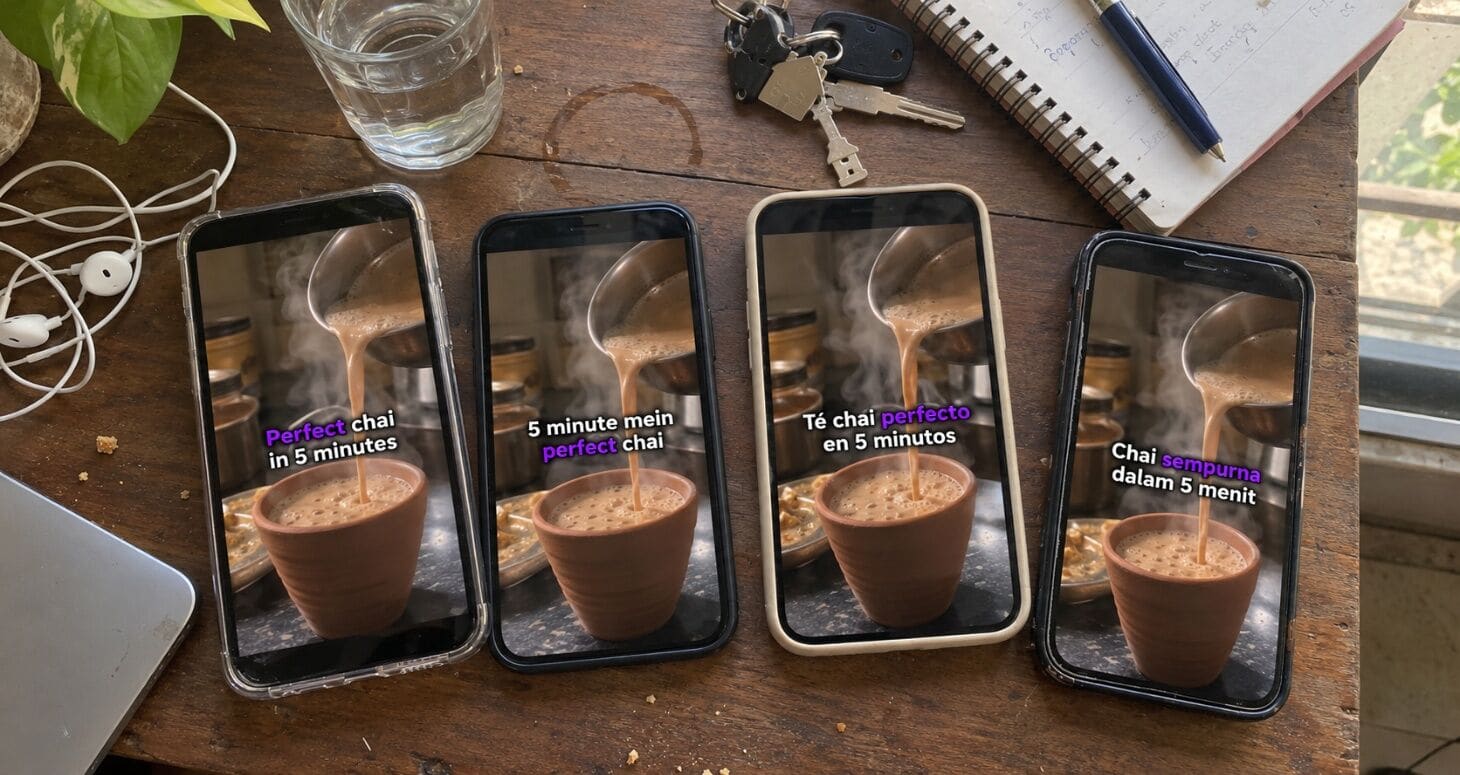
Captions grow your reach at home. Subtitles grow it everywhere else.
Why go global?
YouTube says creators who added extra language tracks to their videos saw over 25% of their watch time come from viewers outside the video’s main language. A Hindi cooking channel could find fans in Dubai. A tech explainer could take off in Indonesia.
How to do it
- Caption your video in its original language (see the step-by-step section above).
- Translate the captions into the languages you want.
- Export each language: burned-in for Reels and Shorts, or separate SRT files for YouTube (YouTube lets you add one file per language).
Pro tip: Open YouTube Analytics → Audience → Top geographies. If a country you never targeted is showing up, add subtitles in its language first.
Which languages should Indian creators add first?
| Audience | Language to add | Why |
|---|---|---|
| Non-Hindi Indians, NRIs | English | The widest bridge across India and abroad |
| Gulf countries | Arabic | Large Indian diaspora and local viewers |
| Southeast Asia | Indonesian, Malay | Big, mobile-first video audiences |
| Latin America | Spanish, Portuguese | Some of the largest short-video markets |
| Neighbouring countries | Nepali, Bengali, Urdu | Shared culture, easy crossover |
Subtitles vs AI dubbing: do you still need subtitles?
Platforms now offer free AI dubbing. Instagram’s Meta AI translation supports 9 languages as of April 2026, and YouTube’s auto-dubbing supports 27 languages. Here’s how they compare:
| Subtitles | AI dubbing | |
|---|---|---|
| Languages | 100+ with Capzo | 9 (Instagram), 27 (YouTube) |
| Works on mute | ✅ | ❌ |
| Keeps your real voice | ✅ | ❌ AI voice |
| Works on any platform | ✅ | ❌ Only inside that app |
Bottom line: use dubbing to test a few big languages, and subtitles to reach everyone else.
Captions for brands, educators and businesses
Captions aren’t just for creators. Anyone who uses video to sell, teach or inform benefits.
- D2C brands and agencies: In a Kofluence survey, more than 62% of creators said they were getting more vernacular-language campaign briefs from brands. Captions let one ad work across Hindi, Tamil, Bengali and more, without reshooting.
- Educators and course creators: Subtitles in English and other languages let you sell the same course to students across India and abroad.
- Podcasters: Clip your episodes into Reels and Shorts with captions, so muted scrollers still get the point.
- News and media pages: Captions are essential for fast, mute-friendly news clips in multiple languages.
How to choose a caption tool
Ask these six questions before you pick any tool:
| Question | Why it matters |
|---|---|
| Does it cover Hindi, regional and global languages? | So you never outgrow it |
| Is it accurate on Hinglish? | Code-mixed speech breaks most tools |
| Can you choose Roman or Devanagari? | Different audiences read differently |
| Can you customise styles? | Captions should match your brand |
| Does it export MP4, SRT and VTT? | You need all three across platforms |
| Is there a free plan? | Test before you pay |
Capzo checks every box: 100+ languages, Hindi and Hinglish in Roman or Devanagari, custom styles, MP4/SRT/VTT export, and a free plan to start, with paid plans as you grow. See Capzo plans →
Caption mistakes to avoid
- Too many words on screen. Keep it to 2 to 5 words at a time.
- Captions at the very bottom. Reels and Shorts cover the bottom with buttons. Keep text in the middle third.
- Low contrast. Use white text with a dark outline or shadow.
- Late first caption. Show text from the very first frame.
- Skipping proofreading. Check names, brands and numbers every time.
- Mixing scripts. Pick Roman or Devanagari, not both.
- Only burned-in captions on YouTube. Upload an SRT too, so search engines can read your video.
FAQ
Why are video captions important for Indian creators?
Most viewers now use captions at least sometimes, and many scroll on mute. For Indian creators, captions also bridge languages: Hinglish, Devanagari and regional captions help you reach viewers across India and beyond.
What’s the difference between captions and subtitles?
Captions show speech in the same language as the audio. Subtitles translate it into another language.
Do captions help Instagram Reels get more reach?
Captions keep muted viewers watching longer, and watch time is one of the strongest signals for any platform’s algorithm.
Should I use Hindi or English captions?
Use your audience’s language first: Hindi or Hinglish if that’s what they speak. Add English or other languages as subtitles to reach more people.
Can I add subtitles in multiple languages to one YouTube video?
Yes. YouTube lets you upload a separate subtitle file for each language. Capzo can create them all from one project.
Are AI captions accurate for Hinglish?
It depends on the tool. Always test with a real clip and review before posting.
How many words should a caption have?
For Reels and Shorts, 2 to 5 words per caption works best. Longer lines are hard to read on a vertical screen.
Is there a free way to add captions?
Yes. Capzo has a free plan so you can try it before upgrading.
Start captioning for free
Video captions are the simplest way for Indian creators to get more watch time at home and new viewers abroad. Your next viewer could be in Indore, Chennai or Dubai. Make sure they can understand you.
Join 10,000+ creators already captioning with Capzo
Try Capzo free